WeChat / A Bluewawa field guide
A WeChat Launch Checklist for Overseas Brands
Prepare the account, content and people behind a useful WeChat presence. Start with ownership and a working customer journey, then decide what to build next.
In this guide
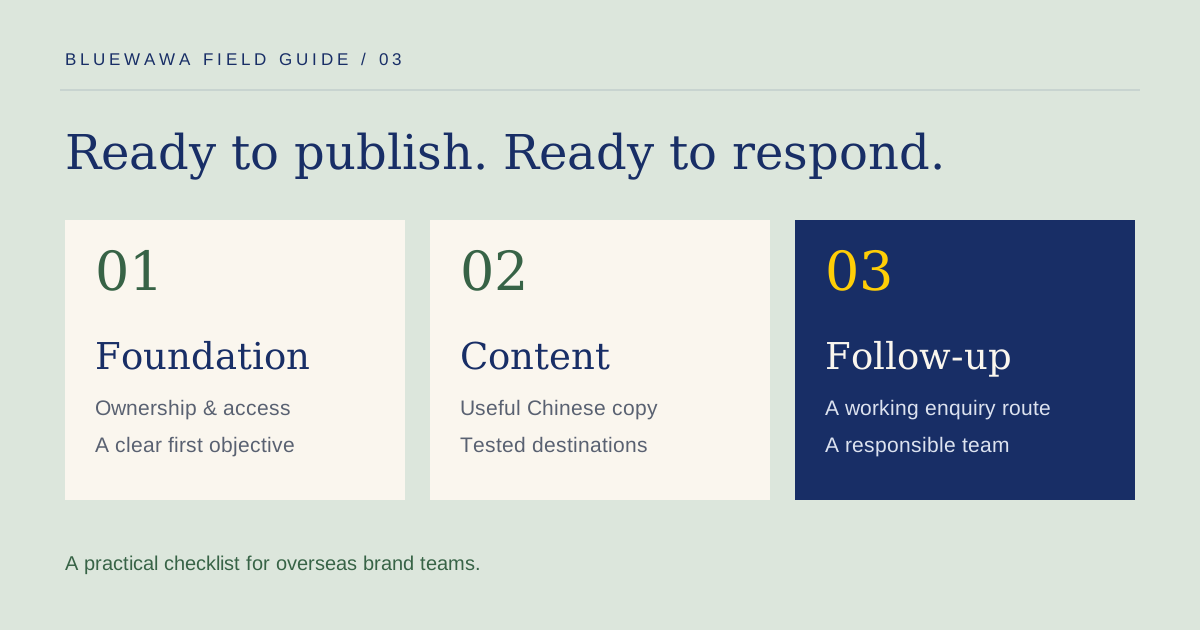
A WeChat launch is an operating decision as well as a content project. Someone needs to own the account, approve information, keep destinations working and respond when an interested person gets in touch.
This checklist is designed for an overseas brand planning its first presence or rebuilding an existing one. It is not a registration tutorial or a statement that every feature is available to every overseas entity. Confirm current eligibility, verification requirements and permissions for the entity and account you will actually use before committing to a build.
Define the first customer journey
Start with one action the account should support. It could be a product enquiry, a distributor conversation, an event registration or a request about a stay. “Build our China presence” needs to become something a person can actually do.
Write down where the audience will come from and what they need next. Existing contacts at an event have different questions from someone discovering your brand for the first time.
Tencent identifies Official Accounts, Channels, Search and Mini Programs as parts of the Weixin ecosystem. We use WeChat as the familiar international term throughout this checklist; the available setup still needs to be checked in context. Tencent’s product overview explains the ecosystem and the Weixin/WeChat distinction.
The result of this step should be one sentence: “When this audience reaches our account, they can find this information and take this next step.”
Confirm ownership and the account pathway
Before submitting documents or granting access, agree who will own the account and who will administer it. Keep those responsibilities explicit when an agency or implementation partner is involved.
Prepare a record of the following decisions:
- The legal entity applying for or operating the account.
- The business goal and the account type being considered.
- The current registration, verification and feature requirements to check.
- The authorised administrator and a documented recovery contact.
- The role and access of each internal or external team member.
- The handover process if the person or supplier managing the account changes.
Do not assume that opening an account also enables payments, every menu action, a Mini Program or every advertising function. These are separate scoping questions. Keep evidence of the checks made for your setup and revisit them if the scope changes.
Use the Weixin Official Accounts platform as the operational starting point. This checklist intentionally does not publish a universal document list, fee or approval timeline: those need confirmation against the current application route.
Choose the smallest useful feature set
Map each proposed tool to a customer task before allocating a budget.
| Tool | A possible job in your plan | Decision to make before adding it |
|---|---|---|
| Official Account | Publish useful brand information and provide navigation | Who owns the editorial calendar and maintains the menu destinations? |
| Channels | Support a video or livestream content programme | Is there a sustainable production and response plan? |
| H5 page | Present a focused mobile information or enquiry experience | Does it work inside the target in-app browser, and is the intended route supported? |
| Mini Program | Provide an integrated service, registration or commerce experience | Does the task justify design, development, permissions and ongoing maintenance? |
| Community or CRM workflow | Organise service and follow-up | Who responds, what data is needed, and how is it handled? |
Tencent describes Mini Programs as services running within Weixin, accessible through routes including QR codes and search. The platform can support many tasks; your first release should support the one you can deliver well. Tencent’s Mini Programs overview provides the product background.
Prepare the brand and content assets
Create a shared asset list before writing. Include the approved brand name, description, logo, imagery, product information and contact details. Identify which material requires local adaptation rather than direct translation.
For a modest first release, our suggested content set is:
- An introduction: who the brand serves and what it offers.
- A useful guide: information that helps the audience evaluate the offer.
- A next-step explanation: how to ask a question, register interest or request service.
That is a starting scope, not a platform rule about article quantity. The content should reflect what the team can keep current.
For each piece, record an owner, Chinese draft, English review notes, source assets, factual checks and intended destination. Decide who approves commercial claims and updates information that may change.
Design the menu from the destination backwards
A menu label is a promise. Before choosing the wording, confirm what opens and what the visitor can do there.
For the fictional coastal stay used in our homepage demonstration, a proposed menu is “About the stay,” “Local guide” and “Contact us.” These are illustrative labels, not a live guesthouse account.
For every proposed menu destination, check:
- The page or account exists and is available to the intended audience.
- Its language and content match the menu label.
- It displays correctly in the relevant mobile environment.
- Any required login, permissions or additional steps are understood.
- There is a useful alternative if the destination cannot load.
Keep the first menu small enough to maintain. Adding a button is easy; keeping a date-sensitive event page or enquiry route current takes ownership.
Make enquiries actionable for both sides
A form is only part of the process. Define what happens after someone submits it and what your team receives.
For a stay enquiry, the useful fields might be intended dates, number of guests, a preferred contact method and optional requests. Collect only what is needed for that task and explain its use in the actual experience.
Separate three states clearly: the request has been received, availability is being checked, and a reservation is confirmed. Do not show “booking confirmed” when the system has only collected a message.
Assign a response owner and a realistic response window. Decide how the team handles time-zone differences, incomplete enquiries and messages that arrive while the main contact is unavailable. Keep the process understandable to both the Chinese-speaking customer and the global team.
Test the complete journey before launch
Run a realistic enquiry through the intended customer route. A desktop preview of an article is not enough to verify a mobile service journey.
| Test | What a pass looks like |
|---|---|
| Discovery route | The intended link, QR code or account entry opens the correct destination |
| Reading | Chinese text, images and navigation remain readable on representative phones |
| Menu destinations | Every item leads to the promised information or action |
| Valid enquiry | The request is stored or received by the responsible system and can be found by the team |
| Validation and failure | Missing information and network errors are explained without losing entered content unnecessarily |
| Duplicate submission | Repeated taps do not create an avoidable burst of duplicate records |
| Follow-up | The assigned person can see the context and respond through the agreed method |
| Handover | Another authorised team member can operate the process when needed |
Account access and feature availability should be tested for the intended audience and setup. A route that works for an administrator is not automatically the route a customer sees.
Agree measurement and maintenance
Choose a small number of observations tied to the original objective. Depending on what is available in your setup, these may include useful article engagement, navigation actions, completed enquiries and follow-up outcomes.
Keep platform activity distinct from commercial results. A read is not an enquiry, a form submission is not necessarily qualified, and a request for dates is not a booking. A shared enquiry log can connect the available journey signals to the team’s actual outcome without assuming perfect attribution.
Schedule a review of outdated information, broken destinations, access permissions and unanswered messages. Allocate ownership for content updates and technical maintenance before the initial project ends.
Use a launch-readiness handover
Before going live, bring the decisions together in one short document:
- One audience, one first objective and one primary customer journey.
- An agreed account owner, administrator and handover route.
- A record of setup and permission checks.
- Approved Chinese copy and source assets.
- A menu map with tested destinations.
- An enquiry owner and response process.
- A measurement plan and the date of the first review.
If those items are incomplete, reduce the launch scope until the team can operate it reliably. If the platform choice itself is still unclear, start with Rednote vs WeChat. If you need to adapt global assets into locally useful content, see our Rednote localization walkthrough for an example of the editorial process.
If a partner will help with launch and operations, use the China social media agency evaluation worksheet to check its delivery evidence, access plan and handover responsibilities.
Your next step
Turn the checklist into a practical launch scope.
Our WeChat services connect account planning, Chinese content, customer journeys and ongoing operations.